
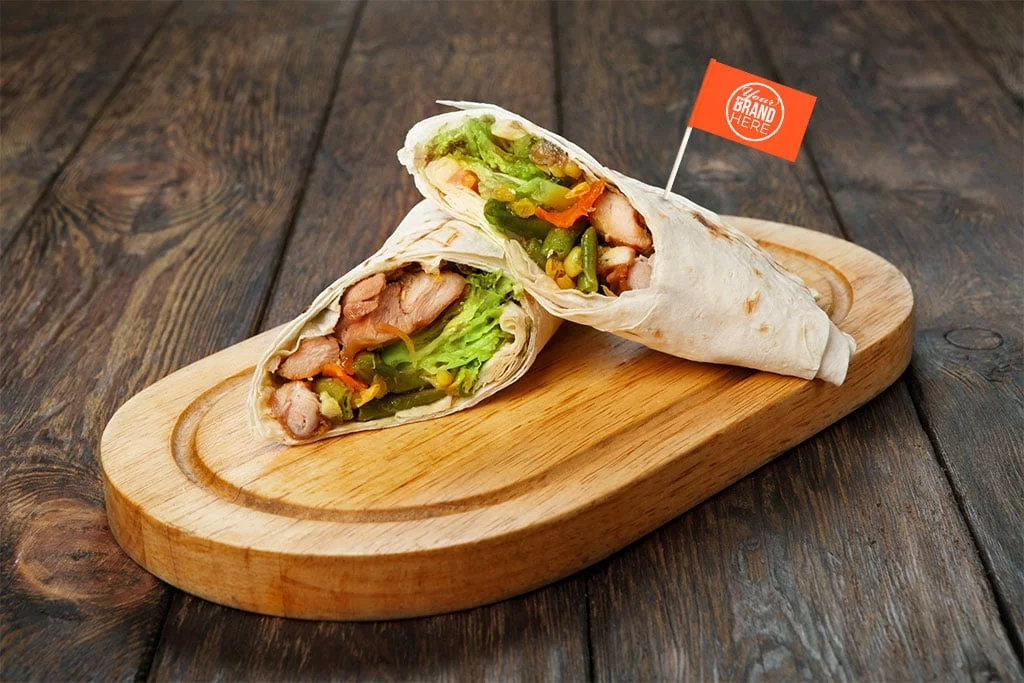
Printable toothpick flags offer a simple and creative way to decorate food, drinks, desserts, and party tables. They can display names, logos, messages, patterns, or seasonal artwork without requiring expensive decorations. Because these small flags have limited space, the design must remain clear and attractive when printed, cut, folded, and attached to a toothpick.
Choosing the right design starts with understanding the purpose of the flag. A birthday party may need bright colors and playful graphics, while a wedding may benefit from elegant typography and subtle details. Whether you create them for a personal celebration, restaurant, catering service, or promotional event, thoughtful design can make a small flag stand out.
What Makes a Good Printable Toothpick Flag Design?
A successful printable toothpick flag combines simplicity, readability, and visual appeal. Since the available printing area is small, overcrowding the design can make words and images difficult to recognize.
Start with one main message or visual element. Use short names, initials, slogans, or simple greetings instead of long sentences. Choose fonts that remain readable after printing at a small size. Bold or clean fonts often work better than highly decorative typefaces.
You should also maintain enough empty space around the design. A crowded flag can look messy once you cut and fold it. A balanced layout helps the printed elements remain visible and professional.
Which Colors Work Best for Flag Toothpicks?
Color plays an important role in making flag toothpicks noticeable. The best color combination depends on the event, food presentation, and overall theme.
For children’s parties, bright combinations can create an energetic appearance. Pastel colors work well for baby showers, birthdays, and elegant celebrations. Black, white, gold, silver, navy, or muted tones can create a more sophisticated look for weddings and formal events.
Always consider contrast. Dark text should appear on a light background, while white or light-colored text usually needs a darker background. Strong contrast improves readability and makes your printable toothpick flags easier to recognize.
If you plan to print at home, remember that colors may look slightly different on paper than they do on a screen. Testing one sample before printing a large batch can help you identify problems with contrast and saturation.
Should You Use Text or Graphics on Toothpick Flags?
Both text and graphics can work effectively, but the best choice depends on the purpose of the decoration.
Text-based designs work particularly well for names, food labels, greetings, company branding, and short messages. For example, a dessert table could use small flags labeled “Cupcakes,” “Brownies,” or “Sweet Treats.”
Graphic designs are useful when you want to communicate a theme quickly. Hearts, stars, flowers, balloons, leaves, cakes, animals, or simple geometric shapes can create visual interest without taking up much space.
You can also combine a short word with a small graphic. This approach often creates a balanced design while keeping the flag easy to read.
What Themes Work Well for Printable Toothpick Flags?
The theme should match the occasion. Popular choices include birthdays, weddings, baby showers, holidays, sporting events, corporate gatherings, and restaurant promotions.
For birthdays, consider balloons, confetti, cakes, candles, or the celebrant’s name. Wedding designs can use initials, floral patterns, elegant borders, or the wedding date. Holiday flags can feature recognizable seasonal symbols such as snowflakes, pumpkins, hearts, or stars.
For businesses, keep the design aligned with your brand identity. Use your logo, brand colors, and a short message. A consistent visual style can make food displays look more professional and memorable.
How Can You Make Small Designs Easy to Read?
Readability becomes especially important when designing small flag toothpicks. A font that looks attractive on a computer screen may become difficult to read after printing.
Choose simple typefaces and avoid using too many font styles. Two complementary fonts are usually enough. Keep important text large enough to remain visible after cutting and folding.
You should also avoid placing important words too close to the edges. Leave a safe margin around the design so trimming does not remove part of the message.
Before producing multiple copies, print a test sheet. Cut one flag, fold it around a toothpick, and check it from a normal viewing distance. This simple test can reveal problems that are difficult to notice on a computer screen.
What Shapes Are Best for Flag Toothpicks?
The classic rectangular flag remains one of the easiest shapes to design and print. It provides enough space for text and graphics while making cutting straightforward.
However, you can experiment with other shapes. Pennant-style flags, rounded rectangles, scalloped edges, and simple geometric designs can create a distinctive appearance. Keep the cutting process in mind when selecting a shape.
Intricate shapes may look attractive digitally but require more time and precision during cutting. For large quantities, simple shapes usually provide the best combination of appearance and convenience.
How Can You Design Flags for Different Events?
Different events call for different design approaches. A children’s birthday might benefit from playful illustrations, bold lettering, and cheerful colors. A wedding may require minimalist typography and elegant decorative elements.
Restaurants and caterers can use printable toothpick flags to identify dishes or add branding to appetizers. A company could use its logo and colors for a product launch or networking event.
Personalized designs can also include names, initials, dates, or short messages. Customization makes the decoration feel more intentional and can help guests connect the design with the occasion.
What Printing Tips Should You Follow?
Use high-quality paper that is firm enough to hold its shape but still easy to cut and fold. Before printing a full sheet, test your design on the selected paper.
Set your printer to an appropriate quality setting and make sure the document uses the correct page size. If the design includes a background color, check that it extends far enough to avoid unwanted white edges after cutting.
You should also arrange several flags efficiently on one sheet. This reduces paper waste and makes the printing process more convenient.
For polished results, Custom Tooth Pick Flag designs can combine practical dimensions with attractive layouts that suit different events and food presentations.
How Can You Create Professional-Looking Toothpick Designs?
Consistency makes a major difference. Use the same font family, color palette, border style, and illustration style across a set of flags. When several designs appear together, they should look like part of one collection.
Avoid adding unnecessary effects such as excessive shadows, complicated gradients, or too many decorative elements. Simple designs often print more clearly and look better on small surfaces.
You can also create several variations using the same template. Change the name, message, color, or icon while keeping the overall layout consistent. This approach works especially well for weddings, catered events, and branded food displays.
Why Are Simple Designs Often the Best Choice?
Small decorations do not need complicated artwork to make an impact. A clean background, readable message, attractive icon, and balanced border can create an impressive result.
The best printable toothpick flags communicate their message quickly while complementing the food or event décor. When you prioritize readability, contrast, proportion, and theme, you can create designs that look polished without becoming difficult to print or assemble.
Whether you need decorations for a private celebration or promotional food presentation, Custom Tooth Pick Flag can inspire designs that combine personalization with practical printing. By keeping the artwork simple and purposeful, your flag toothpicks can become a small detail that adds a memorable finishing touch to any presentation.

FURTHER READING...



How an AWS Solution Architect Quiz Can Support Your Cloud Career
October 7, 2026



When Do You Need Dryer Repair Services in Columbia?
October 7, 2026

Why Choose a Dormer Loft Conversion for Your London Home?
October 7, 2026

เตียงแบบไหนดีที่สุดสำหรับการนอนหลับที่สบาย?
October 6, 2026
Latest - post


CONTACT US
Category
- blog (470)
- Bookkeeping (5)
- Business (389)
- driving (5)
- Environment (5)
- Health (29)
- Home (74)
- Industrial Equipment (1)
- IT Security & Payment Solutions (1)
- lawyer (1)
- Marketing (8)
- Medical (13)
- Panto sunglasses (1)
- Relationship (4)
- Trade Show Displays (1)
- travel (17)
- Wedding Photography&Event (1)
